Restaurant Software and How to Get Quick ROI on It
ERP software for restaurants is just the tip of the iceberg as far as legacy modernisation in restaurants is concerned. With the POS software, no matter how many features and capabilities it has, a restaurant management setup remains far from ideal, without an end-to-end ERP-integrated workflow.
In the absence of the solutions suite, the lack of visibility into the operations gives way to pilferage. Moreover, integrating POS software with a robust hardware suite can be investment-heavy.
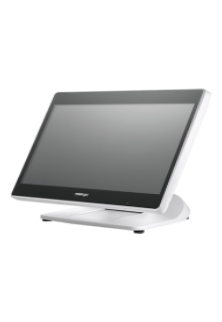
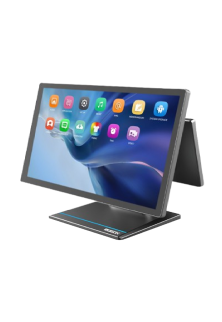
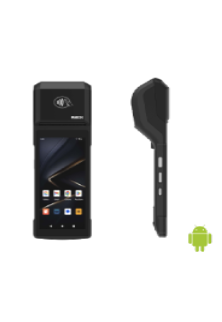
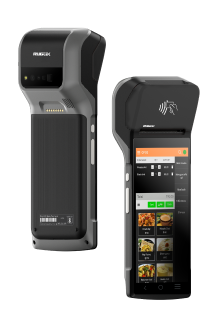
To elaborate, the POS hardware suite, including POS terminals, Kitchen Display Systems, POS scales, cash drawers, printers, etc., incurs a massive acquisition cost. Similarly, POS software subscriptions or licences involve significant OPEX, if not a massive CAPEX upfront.
The Question of ROI: How to Recover the Investment in POS Hardware & ERP Software for Restaurants with Great Results?
Considering that the implementation of this POS solution suite is critical for minimising revenue leakages, however capital-intensive it may be, what should be the priority of the restaurant owners? This question is all the more pertinent for small businesses, where the investment in a solution may constitute a large share of the business capital.
On the surface, the right move is to break even and yield good ROI as soon as possible, as is the case with every investment. However, ROI-boosting is easier said than done.
This is where a strategically built workflow proves to be the game-changer.
In this blog, we will discuss how to generate great ROI on the expenditure made for implementing operations management hardware and POS Software for Restaurants.
Let’s dive right into it, starting with the workflow blueprint that helps maximise profitability!
How to Design an Efficiency-Driving Workflow? Here Are Some Key Considerations
In a market teeming with restaurant ERP solutions, different solution providers, also known as solution integrators, have their own take on the ideal operations layout. However, the underlying thought, whether successfully executed or not, is the same: end-to-end visibility.
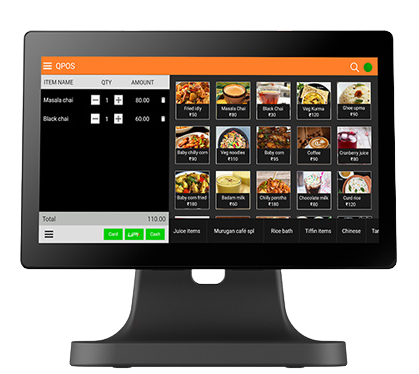
Among these market players, over the years, QPOS has carved its place as a leading platform in the niche of POS software for restaurants. The following pointers describe the strategy we, at QPOS, take in integrating POS hardware with our ERP software for restaurants to create a transparent, automated, and interconnected restaurant tech ecosystem:
- Using the POS scale to measure inventory items at every stage:
- Upon procurement
- While refilling the kitchen stock from the pantry
- When measuring ingredients before use
- During restaurant audits
- ERP-integrated ordering tablets and kiosks for order-taking and self-service
- Kitchen Display Systems, powered by the POS software, which informs guest of their order status
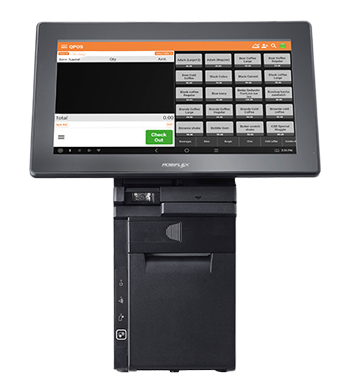
- A small billing terminal and printer in the kitchen area for instant KOT (Kitchen Order Ticket) generation
Want to Recover Your Investment in Restaurant Tech? Discover 3 Key Benefits of ERP Software for Restaurants that Boost ROI!
Here are the foremost advantages of implementing an integrated operations management hardware suite with a robust POS software like QPOS:
- Greater Inventory Control, Inventory Loss Minimised
- Reduced Dependence on Employees, Less Workforce Expenditure
- Faster and Hassle-Free Service, Improved Customer Satisfaction
It is interesting to note that both inventory and overhead costs are major drivers of operational costs in a restaurant. Therefore, optimising costs in the two processes saves a considerable OPEX, smoothening the path to investment recovery and greater return on workflow automation in restaurants.
On that note, let’s begin exploring the correlation between the workflows that ERPs, such as QPOS, power and the ROI from the implementation cost of the billing and operations management solution suite, with the first two use cases.
How Does Better Inventory Management Enabled by ERP Software for Restaurants Ensure Quick ROI?
As the POS Scale, linked to the ERP, weighs inventory, the amount measured is logged into the software, thereby making inventory tracking effortless. With this enhanced stock management mechanism, identifying spoilage and theft no longer remains a complicated auditing process. At the same time, recognising the inventory leaks helps trace the stakeholders accountable for the negligence and challenges as well as the fraud behind spoilage and stolen inventory, respectively, which in turn leads to a decrease in tampered stock logs and food wastage.
Why Are POS Software for Restaurants Vital for Optimised Overhead Cost?
With ERP-integrated self-ordering kiosks and tablets, guests can order at their leisure without a waiter hovering around, while the KOT is instantly printed in the kitchen, getting the order preparation started. In many metros and cosmopolitan spaces, this form of quiet dining is in vogue.
The traditional restaurant scenario also benefits after Restaurant Automation solutions are introduced, saving the front-of-house employees the time spent going back and forth between the tables and the kitchen to deliver KOT.
In both scenarios, the employees are tasked with either assisting customers unfamiliar with the use of tablets and kiosks—something rather uncommon given the rise of smartphones, which have a similar user interface—or suggesting dishes to customers and serving the food. Such a reduction in front-of-house labour implies that the previous levels of productivity can be achieved with a leaner team. This is how POS software for restaurants, including QPOS, slashes the business owners’ employee expenditure.
What Is the Link Between ERP Software for Restaurants and Service Quality?
As the POS software helps create a KOT without servers repeatedly visiting the kitchen, time-to-serve is reduced. Unlike the manually jotted orders, this digitised process minimises order-taking errors, saving the business the inconvenience, food waste, and lost billing opportunity caused by wrong orders.
Most importantly, order mix-ups and delayed service cause a poor service experience. By largely preventing such instances, restaurant POS platforms like QPOS contribute to customer satisfaction.
Curious to know what more QPOS can do for your restaurant? Or how we set up a comprehensive workflow? Contact us today and get your money’s worth with our restaurant management system!
FAQS
1. What is the best restaurant software to increase ROI?
QPOS ERP and POS software is one of the most effective restaurant software solutions to maximize ROI. It streamlines operations, reduces labour costs, and optimizes inventory, helping restaurants increase profits faster. Contact QPOS today
for a free demo.
2. How does QPOS POS software for restaurants help manage inventory?
QPOS POS software tracks inventory in real-time, monitors stock levels, and alerts managers when items are low. This reduces food wastage and overstocking, ensuring better cost control and higher ROI.
3. Can ERP software for restaurants reduce labour costs?
Yes! ERP-integrated POS systems like QPOS provide insights into employee scheduling, workload distribution, and productivity, allowing restaurants to optimize staff allocation and reduce unnecessary labour expenses.
4. How long does it take to see ROI from restaurant POS software?
Many restaurants start seeing measurable ROI within a few months after implementing QPOS POS and ERP software. Faster inventory management, reduced labour costs, and streamlined operations accelerate investment recovery.
5. What features should I look for in restaurant ERP and POS software?
Key features include real-time inventory tracking, automated order processing, employee management, kitchen display integration, and detailed reporting. QPOS offers all these features to ensure maximum efficiency and ROI.
6. How does QPOS improve service quality in restaurants?
QPOS POS software automates order-taking, generates instant Kitchen Order Tickets (KOTs), and provides self-service kiosks. This reduces errors, speeds up service, and enhances the customer dining experience.
7. Is QPOS suitable for small and medium-sized restaurants?
Absolutely! QPOS is scalable and ideal for both small and medium-sized restaurants. Its ERP and POS solutions adapt to your workflow, helping businesses of any size improve efficiency and profitability.
8. Can restaurant workflow automation increase profits?
Yes. Automating workflows with QPOS reduces manual errors, optimizes staff time, and improves inventory management. Streamlined operations directly translate into higher profits and faster ROI.
9. How does POS software prevent theft and food wastage in restaurants?
QPOS POS software logs every transaction, tracks ingredient usage, and monitors stock levels. This transparency prevents employee theft, reduces food wastage, and ensures accurate reporting for better financial control.
10. Why should restaurants integrate ERP and POS software for better ROI?
Integrating ERP with POS systems like QPOS provides end-to-end visibility of restaurant operations. It aligns inventory, staff management, and service workflows, ensuring reduced costs, improved efficiency, and faster ROI.