Why Restaurant Audits Fail: The Enterprise Guide to Real-Time Stock Tracking and Automated Compliance
Are the inventory, accounts, and other operational transactions not adding up? If yes, an audit is long overdue in your restaurant.
However, the chances are that the audit itself may turn out to be much ado about nothing! But why?
What Is the Key Reason Behind Restaurant Audits Failing?
Relying on manual records instead of restaurant inventory management systems and other automation-enabling software platforms? Or is your restaurant missing error-free, complete, and transparently kept logs due to a poorly designed workflow?
Inefficient digitisation is likely to keep auditors in the dark, regardless of how hard they try to identify operational gaps.
Is the Operations Infrastructure the Only Roadblock?
When diagnosing the reasons behind failed audits, restaurants should also consider scenarios, such as staff resistance and insufficient employee training in effectively operating restaurant automation solutions (hardware and software).
What Are Restaurant Audits All About?
The goal of audits is to identify anomalies rather than to provide visibility into the workflow. Successful audits follow a well-planned setup, built for thorough operations tracking—which should be the foremost priority of restaurateurs.
Such an efficiency-boosting ecosystem must include a carefully designed end-to-end automated workflow, digitised through a robust restaurant inventory management system or restaurant ERP. If not, the business capital risks being squandered through spoilage, inventory theft, and various kinds of restaurant fraud, including billing disputes.
Here are the key discoveries commonly made through audits powered by advanced restaurant inventory management systems:
- Controlling Operational Costs: Restaurants must optimise their spending in different ways, including via measures to reduce wasted inventory or cooked food.
- Ensuring Updated Billing: The invoice management module must adhere to the latest accounting standards, including the frequently changing GST regulations.
- Identifying Restaurant Fraud: This step is vital for capping revenue leakage caused by employee malpractices, along with those committed by external forces, involving factors such as fake POs (Purchase Orders) and fraudulent chargebacks raised by vendors and customers, respectively.
How to Design Restaurant Operations Infrastructure for Fruitful Audits?
For successfully deploying a restaurant automation project that makes the business transparent and organised enough for audits, asking the following questions is critical:
- Why do restaurant audits fail due to stock discrepancies?
- To prevent such discrepancies, how to track restaurant inventory in real time?
While exploring these questions, this blog aims to shed light on the preconditions of a successful restaurant audit. Let’s get started!
The Central Piece of the Puzzle: Are You Curious Why Restaurant Audits Fail Due to Stock Discrepancies? Discover Now!
Regular accounting can help track any billing errors if the automation setup is down, given that the person accounting has the price list of the items. However, backtracking a manually kept or an insufficiently automated restaurant inventory management system is next to impossible, due to the possible instances of fraud or incorrect logging of inventory procured and used. Hence, at the heart of ensuring that audits become fail-proof, it is important to automate inventory management.
How to Track Restaurant Inventory in Real-Time? Designing A Restaurant ERP-Integrated Workflow!
Let us summarise the key processes for a well-oiled restaurant inventory management system, as we have throughout QPOS blogs, such as The Importance of Inventory Control for Restaurant Success. Here are a few pointers addressing the implementation of real-time inventory tracking, underscoring the need to provide instant, accurate visibility into stock levels, usage, and compliance:
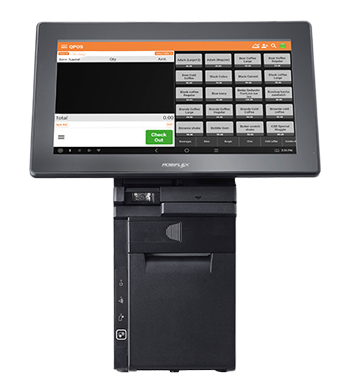
- Measure inventory upon procurement with the help of a POS scale, connected to the POS ecosystem powered by the ERP, to automatically register readings, thereby minimising the scope of data entry errors, which later snowball into failed audits.
- Tally the readings for the procurement against the Purchase Order (PO) to remove discrepancies for audits from the get-go.
- Use the POS scale setup for logging inventory movement between the pantry and the kitchen to eliminate the chances of theft-induced shrinkage.
- The same POS scale and billing terminal integration is a must for tracking the use of inventory during dish preparation. In this manner, auditors can track the cost of inventory for each preparation to optimise the quantity of inventory used for a given item on the menu.
- During audits as well, the integrated restaurant inventory tracking system mentioned above facilitates verifying if this workflow has been diligently followed by helping the user reconcile the inventory levels displayed in the restaurant ERP and the actual inventory present.
- Thanks to this workflow, during audits, the solution ecosystem, built to track inventory in real-time, proves transformative for determining revenue leakage caused by shrinkage.
What makes this integrated restaurant management system and workflow crucial for inventory tracking is that without this setup, at every stage—procurement, audit, and inventory use—data entry errors and fraud can occur. This solution ecosystem must be replicated across outlets for successful audits, stock tracking, and overall business success at an enterprise level.
Key Benefits of Restaurant Inventory Management Systems: Ensuring Auditing Success
The advantages of an inventory tracking system, designed for real-time stock management, are listed below:
- Minimal stock discrepancies to reconcile
- Smooth tracking of inventory waste alongside the implementation of best inventory management practices, such as FIFO (First In, First Out) methods
- Improved operational efficiency, thanks to automation
Final Thoughts: Why Select QPOS as the Ideal Restaurant Inventory Management System?
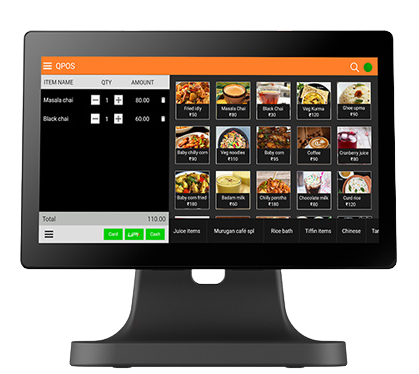
The goal of this blog was to illustrate how apparently distinct restaurant workflows can be linked and managed via a single interface with the help of robust restaurant automation solution hardware, where advanced restaurant management software, such as QPOS, is installed. We have attempted to cover some of the most tangible, laborious, and time-consuming workflows in this blog. However, the list is not exhaustive, and there are also several intangible advantages of software platforms like QPOS.
Curious to know more?
Contact us today, and an executive will support you in bridging the gaps in your restaurant operations, having shown, through detailed demos, how QPOS can solve the challenges posed by unintegrated workflows.
What are you waiting for? Let’s connect to get you hitting the ground running!
1. Why do restaurant audits fail in India?
Restaurant audits often fail due to manual record-keeping, lack of real-time inventory tracking, and poorly designed workflows. Using an automated restaurant inventory management system like QPOS can prevent these issues.
2. How can restaurants track inventory in real-time for successful audits?
Restaurants can implement POS-integrated scales and ERP systems to log inventory movements automatically, ensuring accurate stock levels for audits and reducing errors or fraud.
3. What is the role of automated compliance in restaurant audits?
Automated compliance ensures that billing, stock tracking, and reporting follow accounting and GST regulations, minimizing discrepancies during audits and preventing revenue leakage.
4. How does QPOS ERP help prevent audit failures in restaurants?
QPOS ERP integrates POS, inventory tracking, and reporting workflows, providing real-time visibility into stock usage, detecting discrepancies, and streamlining audit processes.
5. What are common causes of stock discrepancies during restaurant audits?
Causes include manual data entry errors, theft, spoilage, mismanaged workflows, and lack of centralized inventory tracking across multiple outlets.
6. How can restaurants reduce revenue leakage using inventory management software?
By monitoring stock usage, tracking procurement against purchase orders, and standardizing workflows, software like QPOS prevents errors, theft, and spoilage that lead to revenue loss
7. Why is POS scale integration important for restaurant audits?
POS scales ensure that inventory is weighed accurately at procurement, during prep, and in dish preparation, providing precise data for auditing and compliance reporting.
8. What steps should restaurants take to design an audit-ready workflow?
Restaurants should automate inventory tracking, integrate POS and ERP systems, train staff in using automation tools, and implement standardized operational processes for transparency.
9. How does real-time stock tracking improve restaurant operations?
Far far away, behind the word mountains, far from the countries Vokalia and Consonantia, there live the blind texts. Separated they live in Bookmarksgrove right at the coast
10. Can automated restaurant audits help multi-location chains in India?
Yes. ERP-integrated inventory tracking ensures consistent workflows, stock monitoring, and compliance across multiple outlets, making audits more accurate and efficient for chains.