8 Restaurant Menu Ideas to Design an Intelligent Menu

8 Innovative Ideas for Designing an Intelligent Menu for Your Restaurant 

In today’s highly competitive restaurant industry, the best-designed menu grabs diners’ attention, helps customers make choices, and ultimately increases sales. But, creating an appealing, intelligent, and effective menu isn’t easy. 

That’s why we’ve listed eight innovative restaurant menu ideas that will help turn a list of dishes into an enthralling and smart visual presentation.  

Stick to a Minimalist Theme  

When designing an intelligent menu, stick to a minimalist theme, as the human eye hates clutter. To come up with a minimalist menu design: 

  • Use white space in your menu design  
  • Divide the menu into sections  
  • Use no more than two or three colours  
  • Use clean and simple fonts  

Limit the Items on Your Menu  

Diners are already overwhelmed with choosing where to eat. Once they’ve settled on your place, don’t burden them further by asking them to pick from a hundred options.  

A small menu with 4-5 items in every section is best while keeping every dish unique. This will ensure faster table turnovers, better execution of every dish, and keep customers satisfied. 

Highlight Special Dishes  

If a dish is important – or even better, popular and profitable – highlight it! With your restaurant billing machine and POS software, analyse past sales data to find the items on your menu that are in demand.  

Use colours, visuals, and illustrations to draw attention to your star items.  

Leverage the Power of Words  

Use descriptive words to communicate the taste of an item and convince customers to try it out. Using words like “explosive” to talk about hot chicken wings or “crisp” for nachos can evoke a visceral reaction of hunger. Try to define each item with a specific adjective that best describes it.  

Consider Eye Movement Patterns  

It’s been said that when reading a menu, people typically start in the middle and then move to the top right and the top left of the page. This is known as the Golden Triangle. Others say that people usually see the top of the page or right corner. Few also suggest that people are more likely to order the first item on the menu.  

So, it’s best to cover your bases – put high-margin or popular dishes at the top right, top left, and centre of your menu. 

Offer a Digital Menu  

A digital menu is the way to go when designing an intelligent menu. Set up a clear QR code that diners can easily scan on their phone. Digital menus allow you to enhance customer experience as you can incorporate the right mix of graphics and videos.  

There’s nothing more attractive and persuading for customers than seeing a nice visual of what they’re about to eat.   

Focus on Anchor Pricing  

Anchor pricing is a great way to develop an intelligent menu that drives sales. It involves placing a high-priced item adjacent to a dish you want to sell. Showing a luxury dish with a slightly higher price next to the target item establishes a comparison, making the latter seem more desirable.  

This is one of the most effective restaurant menu ideas that relies on the human tendency to compare things to create a sense of value to influence purchase decisions. 

Consider Removing the Rupee Sign (₹) 

Another of the most effective restaurant menu ideas for an intelligent menu is removing the rupee sign, which triggers negative associations related to spending money. Plus, your diner already knows that the number next to the menu item is the price.  

 Final Words  

The menu helps to reflect a restaurant’s true identity and potential, not just through the items but also through its design and level of creativity. With these eight ideas, you can create an intelligent menu that hugely impacts your bottom line.  

To further enhance your restaurant performance, check out QPOS, which helps streamline everything from billing to tableside ordering. 


Download the brochure

to get to know about features, hardwares, and more!

Recent Blogs

QPOS Brochure
All-in-one POS solution for your restaurant or retail business
QPOS Brochure
All-in-one POS solution for your restaurant or retail business
QPOS Brochure
All-in-one POS solution for your restaurant or retail business
QPOS Brochure
All-in-one POS solution for your restaurant or retail business
QPOS Brochure
All-in-one POS solution for your restaurant or retail business
QPOS Brochure
All-in-one POS solution for your restaurant or retail business
QPOS Brochure
All-in-one POS solution for your restaurant or retail business
QPOS Brochure
All-in-one POS solution for your restaurant or retail business
QPOS Brochure
All-in-one POS solution for your restaurant or retail business
QPOS Brochure
All-in-one POS solution for your restaurant or retail business
QPOS Brochure
All-in-one POS solution for your restaurant or retail business
QPOS Brochure
All-in-one POS solution for your restaurant or retail business
QPOS Brochure
All-in-one POS solution for your restaurant or retail business
QPOS Brochure
All-in-one POS solution for your restaurant or retail business
QPOS Brochure
All-in-one POS solution for your restaurant or retail business
QPOS Brochure
All-in-one POS solution for your restaurant or retail business
QPOS Brochure
All-in-one POS solution for your restaurant or retail business
QPOS Brochure
All-in-one POS solution for your restaurant or retail business
QPOS Brochure
All-in-one POS solution for your restaurant or retail business
QPOS Brochure
All-in-one POS solution for your restaurant or retail business
QPOS Brochure
All-in-one POS solution for your restaurant or retail business
QPOS Brochure
All-in-one POS solution for your restaurant or retail business
QPOS Brochure
All-in-one POS solution for your restaurant or retail business
QPOS Brochure
All-in-one POS solution for your restaurant or retail business
QPOS Brochure
All-in-one POS solution for your restaurant or retail business
QPOS Brochure
All-in-one POS solution for your restaurant or retail business
QPOS Brochure
All-in-one POS solution for your restaurant or retail business
QPOS Brochure
All-in-one POS solution for your restaurant or retail business
QPOS Brochure
All-in-one POS solution for your restaurant or retail business
QPOS Brochure
All-in-one POS solution for your restaurant or retail business
QPOS Brochure
All-in-one POS solution for your restaurant or retail business
QPOS Brochure
All-in-one POS solution for your restaurant or retail business
QPOS Brochure
All-in-one POS solution for your restaurant or retail business
QPOS Brochure
All-in-one POS solution for your restaurant or retail business
QPOS Brochure
All-in-one POS solution for your restaurant or retail business
QPOS Brochure
All-in-one POS solution for your restaurant or retail business
Get in touch
Fill the form to open New Franchise
Get in touch
Fill the form to open New Franchise
Get in touch
Fill the form to open New Franchise
Get in touch
Fill the form to open New Franchise
Get in touch
Fill the form to open New Franchise
Get in touch
Fill the form to open New Franchise
Get in touch
Fill the form to open New Franchise
Get in touch
Fill the form to open New Franchise
Get in touch
Fill the form to open New Franchise
Get in touch
Fill the form to open New Franchise
QPOS Brochure
All-in-one POS solution for your restaurant or retail business
QPOS Brochure
All-in-one POS solution for your restaurant or retail business
QPOS Brochure
All-in-one POS solution for your restaurant or retail business
QPOS Brochure
All-in-one POS solution for your restaurant or retail business
QPOS Brochure
All-in-one POS solution for your restaurant or retail business
QPOS Brochure
All-in-one POS solution for your restaurant or retail business

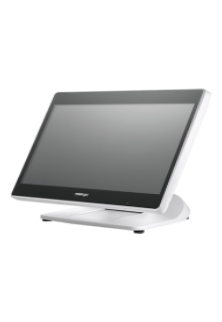
PS 3616 G2 White

Intel Elkhart Lake Celeron J6412, up to 2.60 GHz, 1.5M Cache
DDR4 SO-DIMM x 1, max. 16GB
M.2 connector (SATA Signal Only) x 1
Windows 10 IoT 64 bits
VGA x 1, 12V support for Posiflex monitors
1, control 2 CR via optional Y-cable, supporting 24V cash drawer
MSR; iButton; RFID; Fingerprint Sensor; KeypadNon-touch TFT USB LCD: 7"/9.7"
5, USB 3.0 x 2+ USB 2.0 x 2 (on I/O plate) + USB 2.0 x 1 (on the top)

RTP-4

ARM Cortex-A55, Quad-Core 2.0GHz
Android 13
4GB RAM + 64GB ROM
8GB RAM + 128GB ROM (optional)
2 × USB3.0 + 3 × USB2.0
15.6" HD 1366×768
15.6" FHD 1920×1080 (optional)
Capacitive Multi-Touch Screen
10.1" 1024×600 (optional)
6 × USB
1 × Headset Jack
Interface 1 × φ5.5mm DC Jack
Power key
Tone, Power indicator
2 × Speaker (2W)
380mm × 186mm × 288mm
Ethernet TCP/IP 1000M
2.4 & 5GHz dual-band Wi-Fi
Power Adapter (12V 4A) × 1
Face Recognition Camera
MSR
NFC

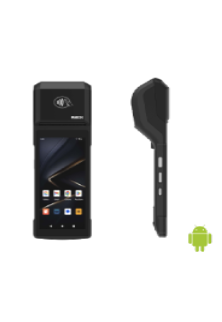
Rp -i1H

Cortex-A53 Octa-core 2.3GHz
Android 14
3GB RAM + 32GB ROM
1 x Micro SD Card (up to 128GB)
5.5" HD+, IPS 720×1440
Industrial grade Capacitive Touch Screen
Removable Lithium Battery, 7.7V / 3000mAh
157.8×75.5×17.3mm
345g (with battery)
1 × Type C, USB 2.0, Support OTG With Rubber Plug
1 × Power Key, 1 × Volume + / Scan Key, 1 × Volume - Key
Speaker
Built-in 58mm Thermal Printer
Print Speed: 80mm/s
Paper Roll: Φ40mm
1D and 2D Barcodes Reader (optional)
Newland CM30
Rear 5MP AF Camera, With Flash LED, Support 1D / 2D
Support ISO15693, ISO14443A/B, Mifare card, Felica card
FDD-LTE: B1 / B2 / B3 / B4 / B5 / B7 / B8 / B20 / B28
BT5.3 + BR/EDR + BLE
GPS L1, GLONASS
5%~95% RH (No condensation)
Power Adaptor ×1, USB Cable ×1, Battery ×1
Hand strap, Protective Case, Protector Film

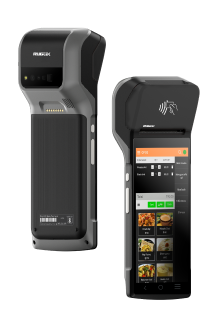
Rp -6s

Android 7.1 OS
5.99” IPS PCAP – 1440×720
Quad Core Snapdragon A-53, 1.4Ghz
16 GB Storage
2GB System Memory
True-flat PCAP touch function with multi-touch support
215.2 x 83 x 17(mm) in Dimensions
360 Grams in weight without receipt roll
Built-in NFC | Wi-Fi | Bluetooth | GPS | GSM
Built-in 2“Detachable Built-in Printer w/auto cutter, 203 mm/sec
1D, 2D, Matrix & QR code Scanner
5MP Camera with Manual & AF
USB C | USB Port | OTG USB | 4G/LTE | CR Port | LAN Port
Base Cradle or Power adaptor
Full charge in 4 hours.
Standby Time 10 Days

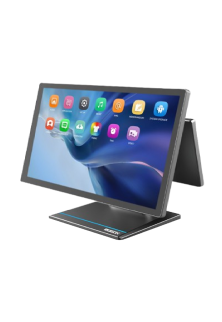
Rp -15

Android OS (Version 9.0)
15.6” FHD – 1920×1080 - Capacitive multitouch screen
Kryo 260, Octa Core 2.2 GHz
4GB RAM
64 GB ROM
Dimension 430 * 382 * 215 mm
Weight 4.5 kg
Colourful RBG TFT Screen, 16:9 wide screen image format
Wi-Fi 2.4G/5.0GHz IEEE 802.11 a/b/g/n/ac
Bluetooth BT BLE 5.0
Operating Temperature 0°C - 50°C, 20%RH - 90%RH (Equipped with SSD)
Storage Temperature -20°C ~ 60°C
12KV Electrostatic Protection
USB Port | CR Port | LAN Port | Serial Port | UPS Port | Mini USG OTG | TF Slot

HS-2414A

Android 7.1 OS
14” TFT LCD Display – 1366×768
IP65 on front panel
Quad Core Processor, 1.20GHz
16 GB Storage
2GB System Memory DDR3
24V/60W Power Supply
True-flat PCAP touch function with multi-touch support
371.5 x 198 x 473(mm) in Dimensions
5.8 Kg in weight
Built-in MSR | RFID Reader | Wi-Fi
Built-in 3" Detachable Built-in Printer w/auto cutter, 250 mm/sec
2D Barcode Scanner
Fingerprint Sensor
USB Port | OTG USB | 4G/LTE | CR Port | LAN Port | Serial Port | UPS Port | Display Port.

Allen Roy

Work Experience – 4 Years

Freelance Photographer

Photographer’s Assistant

Education
Bachelor of Art in Digital Photography
University of San Francisco

Allen Roy

Work Experience – 4 Years

Freelance Photographer

Photographer’s Assistant

Education
Bachelor of Art in Digital Photography
University of San Francisco