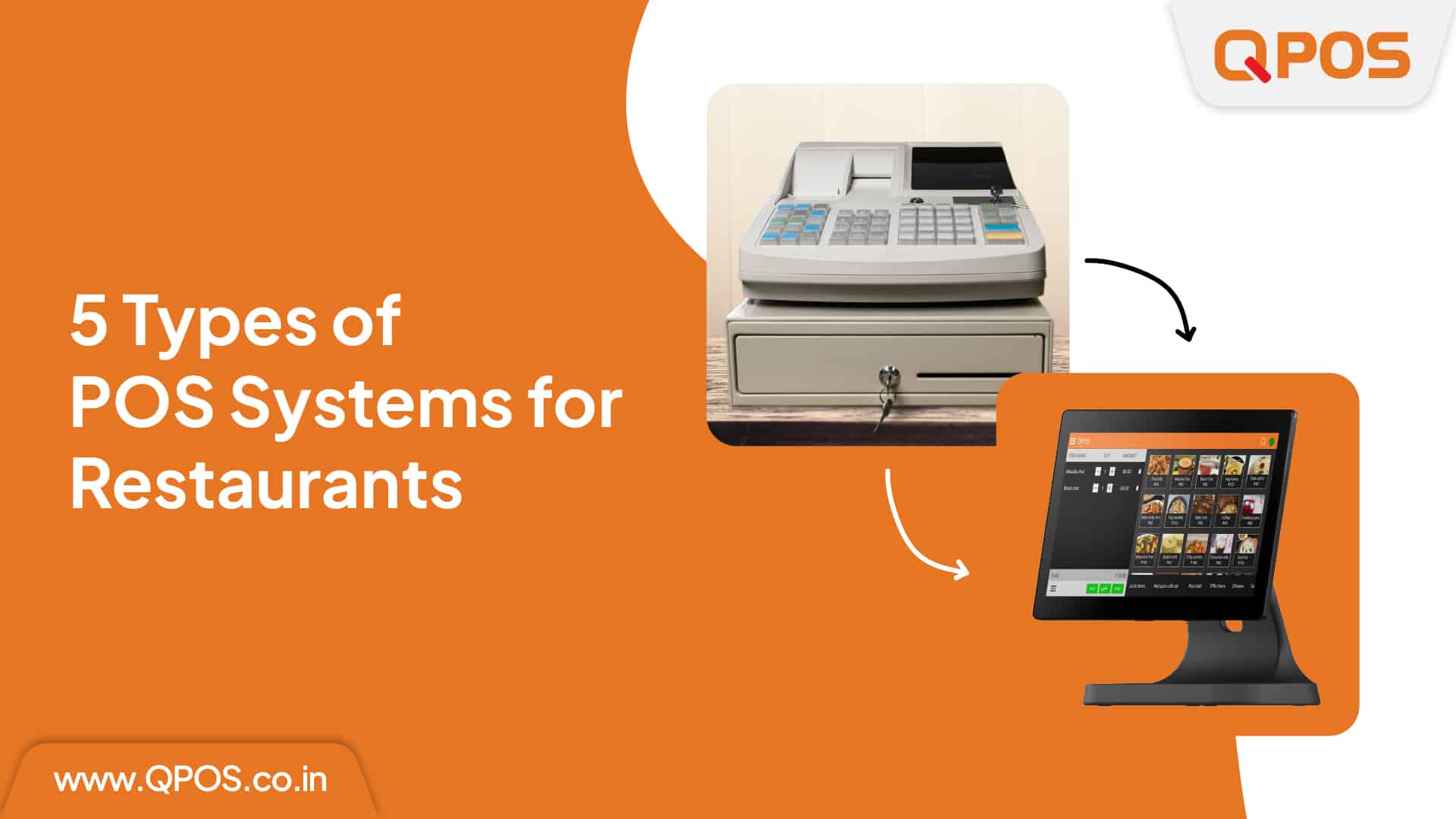
5 Types of POS Systems for Restaurants

5 Types of POS Systems for Restaurants 

 Choosing the right Point of Sale (POS) system is crucial for the success of any restaurant. With various types of POS systems available, each offering unique features and benefits, it’s essential to understand what each type entails. This blog will discuss five main types of POS systems for restaurants and help you determine which one might be best for your business. 

 1.Traditional POS System

 Overview: The traditional POS system is often referred to as a “legacy system.” It consists of a central terminal with a cash register and may include peripheral devices like barcode scanners and receipt printers. 

 Benefits: 

  • Reliability: These systems have been used for decades and are known for their durability and reliability. 
  • Offline Functionality: Traditional POS systems do not require an internet connection, making them ideal for areas with unreliable connectivity. 
  • Ease of Use: Familiar to many staff members, which can reduce training time. 

 Drawbacks: 

  • Limited Features: Compared to modern systems, traditional POS systems lack advanced features like cloud storage and mobile functionality. 
  • Higher Maintenance Costs: Hardware maintenance and repairs can be costly and time-consuming. 

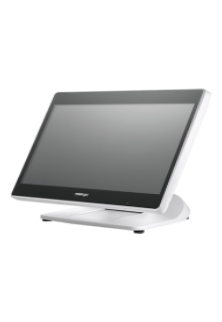
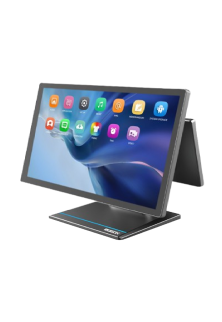
2.Touchscreen POS System

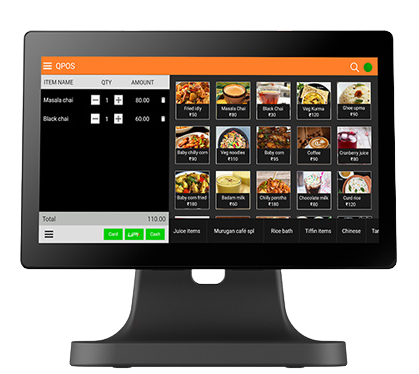
 Overview: Touchscreen POS systems feature intuitive, user-friendly interfaces that allow staff to input orders and process payments via a touch-sensitive screen. 

 Benefits: 

  • User-Friendly Interface: Touchscreen systems are easy to navigate, speeding up the order-taking process and reducing errors. 
  • Customization: Menus and interfaces can be easily customized to suit the restaurant’s needs. 
  • Efficiency: Enhances operational efficiency with faster order processing and payment handling. 

Drawbacks: 

  • Initial Cost: Higher upfront cost compared to traditional systems. 
  • Potential for Downtime: If the touchscreen fails, it can disrupt operations. 

 3.Dedicated Server POS System

 Overview: A dedicated server POS system relies on a central server that connects multiple terminals within the restaurant. It stores all transaction data and ensures seamless communication between devices. 

 Benefits: 

  • Centralized Data Management: All data is stored on a local server, making it easy to manage and secure. 
  • Performance: High-speed performance with minimal lag, even during peak hours. 
  • Control: Greater control over data and system settings. 

 Drawbacks: 

  • High Initial Investment: Costs for servers and network infrastructure can be high. 
  • Maintenance: Requires regular maintenance and IT support to ensure smooth operation. 

 4.Cloud-Based Restaurant POS System

 Overview: Cloud-based POS systems store data on remote servers and can be accessed from any internet-connected device. This modern solution offers flexibility and scalability for growing businesses. 

 Benefits: 

  • Accessibility: Manage your restaurant from anywhere with internet access. 
  • Scalability: Easily add new terminals or locations as your business grows. 
  • Automatic Updates: Software updates and backups are handled automatically. 

 Drawbacks: 

  • Internet Dependency: Requires a reliable internet connection for optimal performance. 
  • Data Security: Data security depends on the POS provider’s measures, which requires trust in the vendor. 

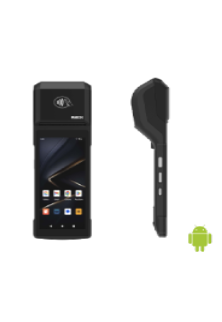
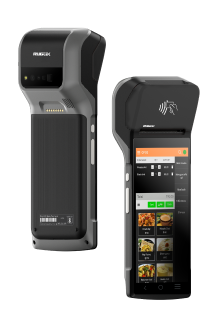
 5.Mobile Restaurant POS System

 Overview: Mobile POS systems utilize smartphones or tablets to process transactions and manage orders. They offer mobility and flexibility, making them ideal for various service styles. 

 Benefits: 

  • Mobility: Take orders and process payments tableside, reducing wait times and enhancing customer service. 
  • Cost-Effective: Lower initial investment as mobile devices are often less expensive than traditional terminals. 
  • Flexibility: Ideal for food trucks, pop-up restaurants, and outdoor dining areas. 

 Drawbacks: 

  • Battery Life: Mobile devices need regular charging, which can be a concern during long shifts. 
  • Durability: Mobile devices may not be as durable as traditional POS hardware. 

 Conclusion: Choose QPOS for Your Restaurant’s Success 

 Selecting the right POS system is crucial for optimizing your restaurant’s operations and ensuring a seamless customer experience. Whether you need the reliability of a traditional POS, the flexibility of a mobile POS, or the advanced features of a cloud-based POS, it’s essential to choose a system that fits your specific needs. 

Discover QPOS: Your Ultimate Restaurant Management Solution 

QPOS offers an AI-powered, comprehensive POS system designed to meet the unique demands of the restaurant industry. Our system combines the best features of modern POS technology, providing robust, scalable solutions for restaurants of all sizes. 

 Ready to Transform Your Restaurant Operations? 

Explore how QPOS can enhance your restaurant’s efficiency, boost profitability, and elevate the customer experience. Join the many successful restaurants that trust QPOS for their POS needs and take your business to the next level. 

Download the brochure

to get to know about features, hardwares, and more!

Recent Blogs

QPOS Brochure
All-in-one POS solution for your restaurant or retail business
QPOS Brochure
All-in-one POS solution for your restaurant or retail business
QPOS Brochure
All-in-one POS solution for your restaurant or retail business
QPOS Brochure
All-in-one POS solution for your restaurant or retail business
QPOS Brochure
All-in-one POS solution for your restaurant or retail business
QPOS Brochure
All-in-one POS solution for your restaurant or retail business
QPOS Brochure
All-in-one POS solution for your restaurant or retail business
QPOS Brochure
All-in-one POS solution for your restaurant or retail business
QPOS Brochure
All-in-one POS solution for your restaurant or retail business
QPOS Brochure
All-in-one POS solution for your restaurant or retail business
QPOS Brochure
All-in-one POS solution for your restaurant or retail business
QPOS Brochure
All-in-one POS solution for your restaurant or retail business
QPOS Brochure
All-in-one POS solution for your restaurant or retail business
QPOS Brochure
All-in-one POS solution for your restaurant or retail business
QPOS Brochure
All-in-one POS solution for your restaurant or retail business
QPOS Brochure
All-in-one POS solution for your restaurant or retail business
QPOS Brochure
All-in-one POS solution for your restaurant or retail business
QPOS Brochure
All-in-one POS solution for your restaurant or retail business
QPOS Brochure
All-in-one POS solution for your restaurant or retail business
QPOS Brochure
All-in-one POS solution for your restaurant or retail business
QPOS Brochure
All-in-one POS solution for your restaurant or retail business
QPOS Brochure
All-in-one POS solution for your restaurant or retail business
QPOS Brochure
All-in-one POS solution for your restaurant or retail business
QPOS Brochure
All-in-one POS solution for your restaurant or retail business
QPOS Brochure
All-in-one POS solution for your restaurant or retail business
QPOS Brochure
All-in-one POS solution for your restaurant or retail business
QPOS Brochure
All-in-one POS solution for your restaurant or retail business
QPOS Brochure
All-in-one POS solution for your restaurant or retail business
QPOS Brochure
All-in-one POS solution for your restaurant or retail business
QPOS Brochure
All-in-one POS solution for your restaurant or retail business
QPOS Brochure
All-in-one POS solution for your restaurant or retail business
QPOS Brochure
All-in-one POS solution for your restaurant or retail business
QPOS Brochure
All-in-one POS solution for your restaurant or retail business
QPOS Brochure
All-in-one POS solution for your restaurant or retail business
QPOS Brochure
All-in-one POS solution for your restaurant or retail business
QPOS Brochure
All-in-one POS solution for your restaurant or retail business
Get in touch
Fill the form to open New Franchise
Get in touch
Fill the form to open New Franchise
Get in touch
Fill the form to open New Franchise
Get in touch
Fill the form to open New Franchise
Get in touch
Fill the form to open New Franchise
Get in touch
Fill the form to open New Franchise
Get in touch
Fill the form to open New Franchise
Get in touch
Fill the form to open New Franchise
Get in touch
Fill the form to open New Franchise
Get in touch
Fill the form to open New Franchise
QPOS Brochure
All-in-one POS solution for your restaurant or retail business
QPOS Brochure
All-in-one POS solution for your restaurant or retail business
QPOS Brochure
All-in-one POS solution for your restaurant or retail business
QPOS Brochure
All-in-one POS solution for your restaurant or retail business
QPOS Brochure
All-in-one POS solution for your restaurant or retail business
QPOS Brochure
All-in-one POS solution for your restaurant or retail business

PS 3616 G2 White

Intel Elkhart Lake Celeron J6412, up to 2.60 GHz, 1.5M Cache
DDR4 SO-DIMM x 1, max. 16GB

M.2 connector (SATA Signal Only) x 1
Windows 10 IoT 64 bits
VGA x 1, 12V support for Posiflex monitors
1, control 2 CR via optional Y-cable, supporting 24V cash drawer
MSR; iButton; RFID; Fingerprint Sensor; KeypadNon-touch TFT USB LCD: 7"/9.7"
5, USB 3.0 x 2+ USB 2.0 x 2 (on I/O plate) + USB 2.0 x 1 (on the top)

RTP-4

ARM Cortex-A55, Quad-Core 2.0GHz
Android 13
4GB RAM + 64GB ROM
8GB RAM + 128GB ROM (optional)
2 × USB3.0 + 3 × USB2.0
15.6" HD 1366×768
15.6" FHD 1920×1080 (optional)
Capacitive Multi-Touch Screen
10.1" 1024×600 (optional)
6 × USB
1 × Headset Jack
Interface 1 × φ5.5mm DC Jack
Power key
Tone, Power indicator
2 × Speaker (2W)
380mm × 186mm × 288mm
Ethernet TCP/IP 1000M
2.4 & 5GHz dual-band Wi-Fi
Power Adapter (12V 4A) × 1
Face Recognition Camera
MSR
NFC

Rp -i1H

Cortex-A53 Octa-core 2.3GHz
Android 14
3GB RAM + 32GB ROM
1 x Micro SD Card (up to 128GB)
5.5" HD+, IPS 720×1440
Industrial grade Capacitive Touch Screen
Removable Lithium Battery, 7.7V / 3000mAh
157.8×75.5×17.3mm
345g (with battery)
1 × Type C, USB 2.0, Support OTG With Rubber Plug
1 × Power Key, 1 × Volume + / Scan Key, 1 × Volume - Key
Speaker
Built-in 58mm Thermal Printer
Print Speed: 80mm/s
Paper Roll: Φ40mm
1D and 2D Barcodes Reader (optional)
Newland CM30
Rear 5MP AF Camera, With Flash LED, Support 1D / 2D
Support ISO15693, ISO14443A/B, Mifare card, Felica card
FDD-LTE: B1 / B2 / B3 / B4 / B5 / B7 / B8 / B20 / B28
BT5.3 + BR/EDR + BLE
GPS L1, GLONASS
5%~95% RH (No condensation)
Power Adaptor ×1, USB Cable ×1, Battery ×1
Hand strap, Protective Case, Protector Film

Rp -6s

Android 7.1 OS
5.99” IPS PCAP – 1440×720
Quad Core Snapdragon A-53, 1.4Ghz
16 GB Storage
2GB System Memory
True-flat PCAP touch function with multi-touch support
215.2 x 83 x 17(mm) in Dimensions
360 Grams in weight without receipt roll
Built-in NFC | Wi-Fi | Bluetooth | GPS | GSM
Built-in 2“Detachable Built-in Printer w/auto cutter, 203 mm/sec
1D, 2D, Matrix & QR code Scanner
5MP Camera with Manual & AF
USB C | USB Port | OTG USB | 4G/LTE | CR Port | LAN Port
Base Cradle or Power adaptor
Full charge in 4 hours.
Standby Time 10 Days

Rp -15

Android OS (Version 9.0)
15.6” FHD – 1920×1080 - Capacitive multitouch screen
Kryo 260, Octa Core 2.2 GHz
4GB RAM
64 GB ROM
Dimension 430 * 382 * 215 mm
Weight 4.5 kg
Colourful RBG TFT Screen, 16:9 wide screen image format
Wi-Fi 2.4G/5.0GHz IEEE 802.11 a/b/g/n/ac
Bluetooth BT BLE 5.0
Operating Temperature 0°C - 50°C, 20%RH - 90%RH (Equipped with SSD)
Storage Temperature -20°C ~ 60°C
12KV Electrostatic Protection
USB Port | CR Port | LAN Port | Serial Port | UPS Port | Mini USG OTG | TF Slot

HS-2414A

Android 7.1 OS
14” TFT LCD Display – 1366×768
IP65 on front panel
Quad Core Processor, 1.20GHz
16 GB Storage
2GB System Memory DDR3
24V/60W Power Supply
True-flat PCAP touch function with multi-touch support
371.5 x 198 x 473(mm) in Dimensions
5.8 Kg in weight
Built-in MSR | RFID Reader | Wi-Fi
Built-in 3" Detachable Built-in Printer w/auto cutter, 250 mm/sec
2D Barcode Scanner
Fingerprint Sensor
USB Port | OTG USB | 4G/LTE | CR Port | LAN Port | Serial Port | UPS Port | Display Port.

Allen Roy

Work Experience – 4 Years

Freelance Photographer

Photographer’s Assistant

Education
Bachelor of Art in Digital Photography
University of San Francisco

Allen Roy

Work Experience – 4 Years

Freelance Photographer

Photographer’s Assistant

Education
Bachelor of Art in Digital Photography
University of San Francisco